Webflow Shared Libraries: How Marketing Teams Stay Autonomous Without Breaking the Design System
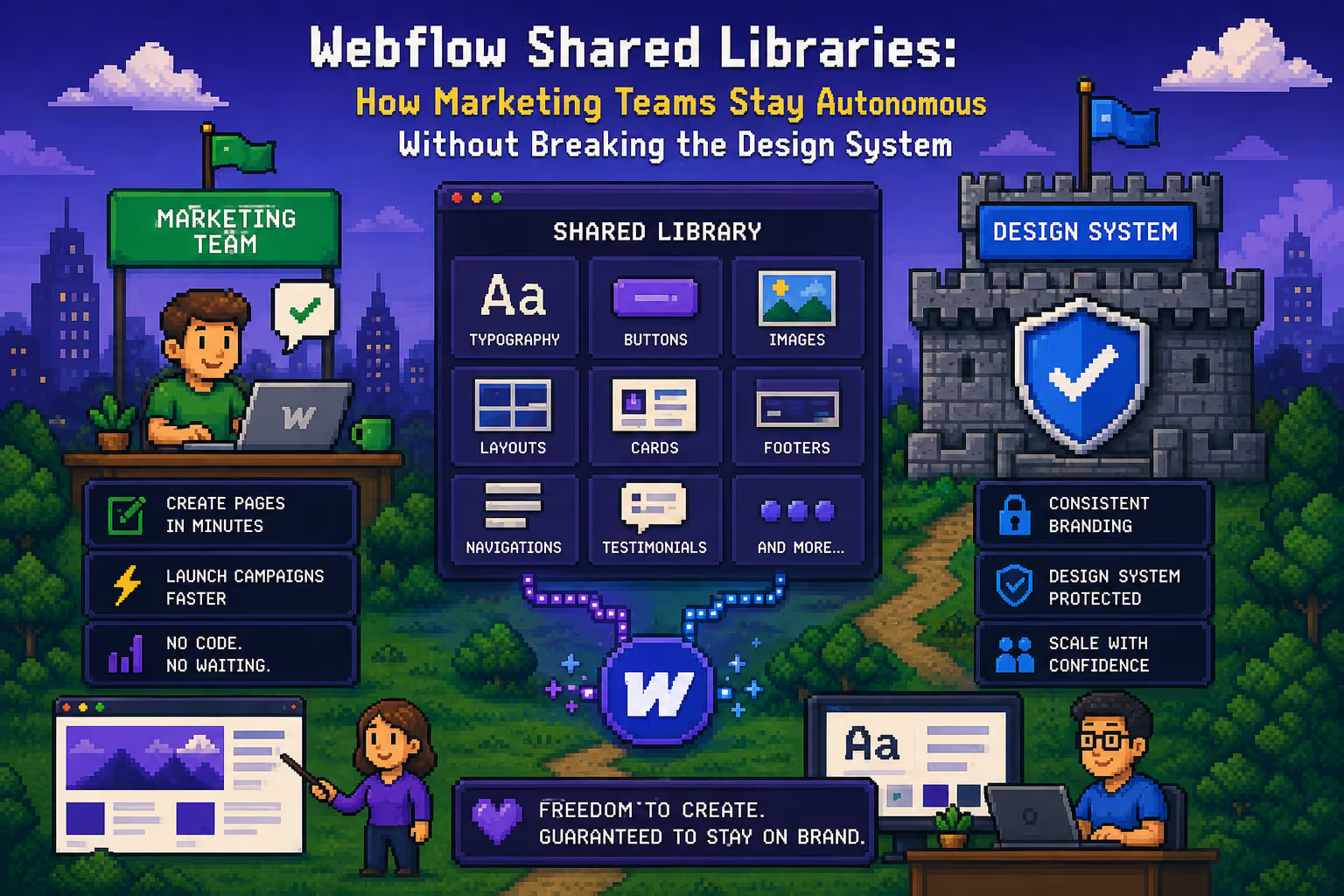
Anyone working across multiple Webflow sites, brands, or teams that share the same design language eventually runs into the same problem: rebuilding the same button, card, or navigation over and over on every project. Webflow Shared Libraries exist to solve exactly that. The system lets you centralize components in one place and share them across multiple sites, instead of every team building its own version of the same piece.
This is a practical look at what a Shared Library actually is, how it works day to day, what to watch for technically, and when it is actually worth setting up.
What a Webflow Shared Library Is
A Shared Library is a distinct type of Webflow project that acts as a central source of components. Instead of components living inside a single site, you build them in the library project and then connect that library to the other Webflow sites that use those components.
When you make a change inside the library, that change propagates to every site connected to it. Change a button once, and you do not have to visit ten different sites by hand to keep it consistent everywhere.
This is particularly useful for:
- Agencies maintaining multiple client sites on the same design system
- Enterprise teams running multiple brands or regional sites
- Marketing teams that want to build landing pages without asking a developer to build a new component every time
How Component Sharing Between Projects Works
The process looks roughly like this: you build components inside the library project the same way you would build any other Webflow component, with all their variants, styles, and interactions. You then connect that library to one or more "child" sites.
Once the connection is set up, the library's components show up in the component panel on the child site, ready to drag and drop. An editor on the child site can place components on a page and edit the content inside them, text, images, links, through the fields the component exposes, but cannot change the component's underlying structure or styles. That control stays inside the library.
This gives marketing teams exactly what they need most: the ability to build pages and add sections independently, without any risk of breaking something at the design system level.
The Practical Challenge: CSS Class Prefixing
This is where things get technically interesting, and it is the part that most often catches teams off guard the first time they set up a shared library.
When Webflow shares a component from the library onto a child site, it automatically adds the library's name as a prefix to every CSS class that component uses. A class like button-primary inside the library shows up on the child site as something like library-name--button-primary.
Why does this matter? Because if you have existing custom code, custom CSS, or JavaScript that targets specific classes, whether through data-attribute selectors or the class name directly, that code will no longer match the new, prefixed class name. Anything written to target .button-primary stops working, because the class now has a different name.
In practice, this means that before introducing a shared library, you should:
- List out every piece of custom code that targets classes you plan to move into the library
- Make a plan to update selectors after the migration, or
- Build a kind of "bridge" system that maps the old selector names to the new, prefixed versions, so you do not have to manually rewrite every line of code
That last option is especially useful when working with a large, already-established site that has a significant amount of custom interaction code built up before the library was introduced. Instead of rewriting hundreds of lines of code, you build a layer that translates old names to new ones, and the system keeps working without interruption.
Shared Library vs. a Component Library Inside One Project
Not every project is a candidate for a shared library. If you are working on a single site with a single team, a component library inside that same project is often enough and simpler to maintain. There is no class prefixing, no extra step of connecting projects, and no need to manage permissions across multiple workspaces.
A shared library makes sense when:
- You have multiple sites that share the same design system (multi-brand, multi-region, multi-client)
- You want centralized control over design while still giving marketing teams the freedom to build pages
- The number of sites you maintain justifies the added setup complexity
If all you need is a single site with well-organized components, you probably do not need to complicate things by introducing a library project.
Practical Advice for Teams Adopting This System
A few things are worth getting right before you start:
Naming conventions. Since every class will get a prefix, it pays to make component and class names inside the library clear and consistent from the start. Renaming something later means the prefix changes everywhere that component is used.
Governance, meaning who can change what. Define clearly who has access to the library project and can change component structure, versus who only fills in content on child sites. This prevents situations where someone accidentally changes something that affects ten sites at once.
Who maintains the library. Someone needs to own the library, someone who tracks versions, tests changes before pushing them to child sites, and communicates updates to the teams using it. Without that role, the library quickly becomes disorganized.
Component documentation. Marketing teams using the components need to know what each field does and how the component is meant to be used, since they do not have access to the underlying structure to figure that out themselves.
The Bottom Line
Webflow Shared Libraries are a powerful tool when you are working in an environment with multiple sites and teams that need to stay consistent while also staying independent. The real value is not that it looks good on paper. It is in how well you handle technical details like CSS prefixing before they become a problem in production.
If you are building a marketing team that needs to be autonomous with content editing, while you as the developer want to keep control over the design system, a shared library, set up on the right technical foundation, gives you exactly that.
If you are weighing whether a Shared Library makes sense for your own site or client portfolio, or you need help auditing custom code before a migration, get in touch and we can walk through it together.

Milan Kostic
Webflow Developer for Marketing Teams